 MyWay
MyWayRoute Planner for Plumbers, Gardeners, Tradies, Builders, Building Inspectors, etc.
Route Planner for Service Companies
A service day is a list of jobs, not a list of parcels: each one has an appointment window, takes a different amount of time and can be pushed aside by an emergency call. MyWay Route Planner puts the day’s jobs in the order with the least driving between them. Set a time window and the expected time on site for each job, optimize in one tap and see when the day will end. It fits HVAC and plumbing crews, electricians, cleaners, pool and lawn care, pest control and anyone else who works at the customer’s address.

Plan a day of service calls in four steps
- Add the jobs. Paste the addresses, import them from Excel or CSV, or pick customers from your contacts and saved places.
- Set the window and the job length. Give each job its appointment window and the time you expect to spend on site.
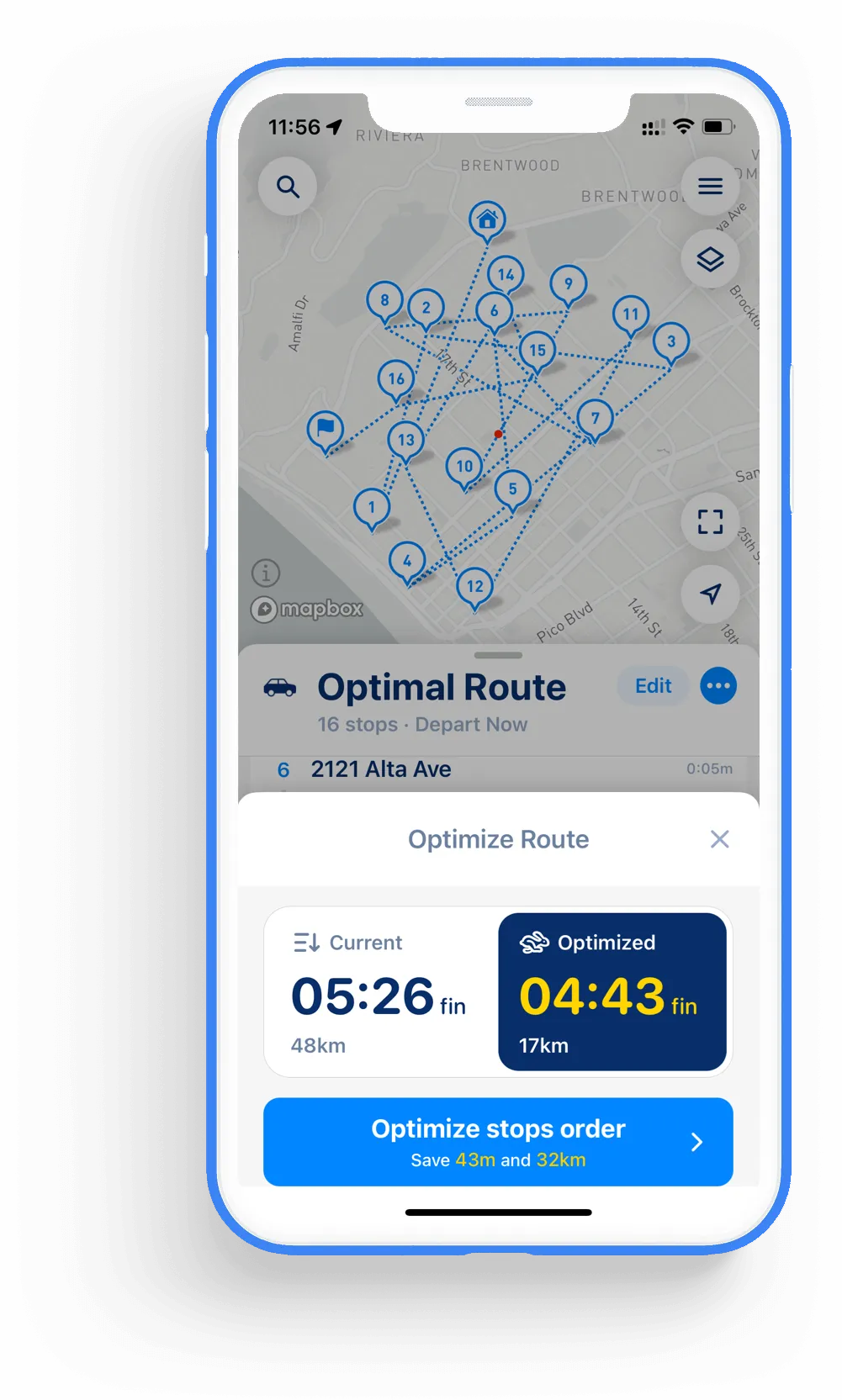
- Set the departure time and optimize. MyWay shows the finish time and distance of your own order and of the optimized one.
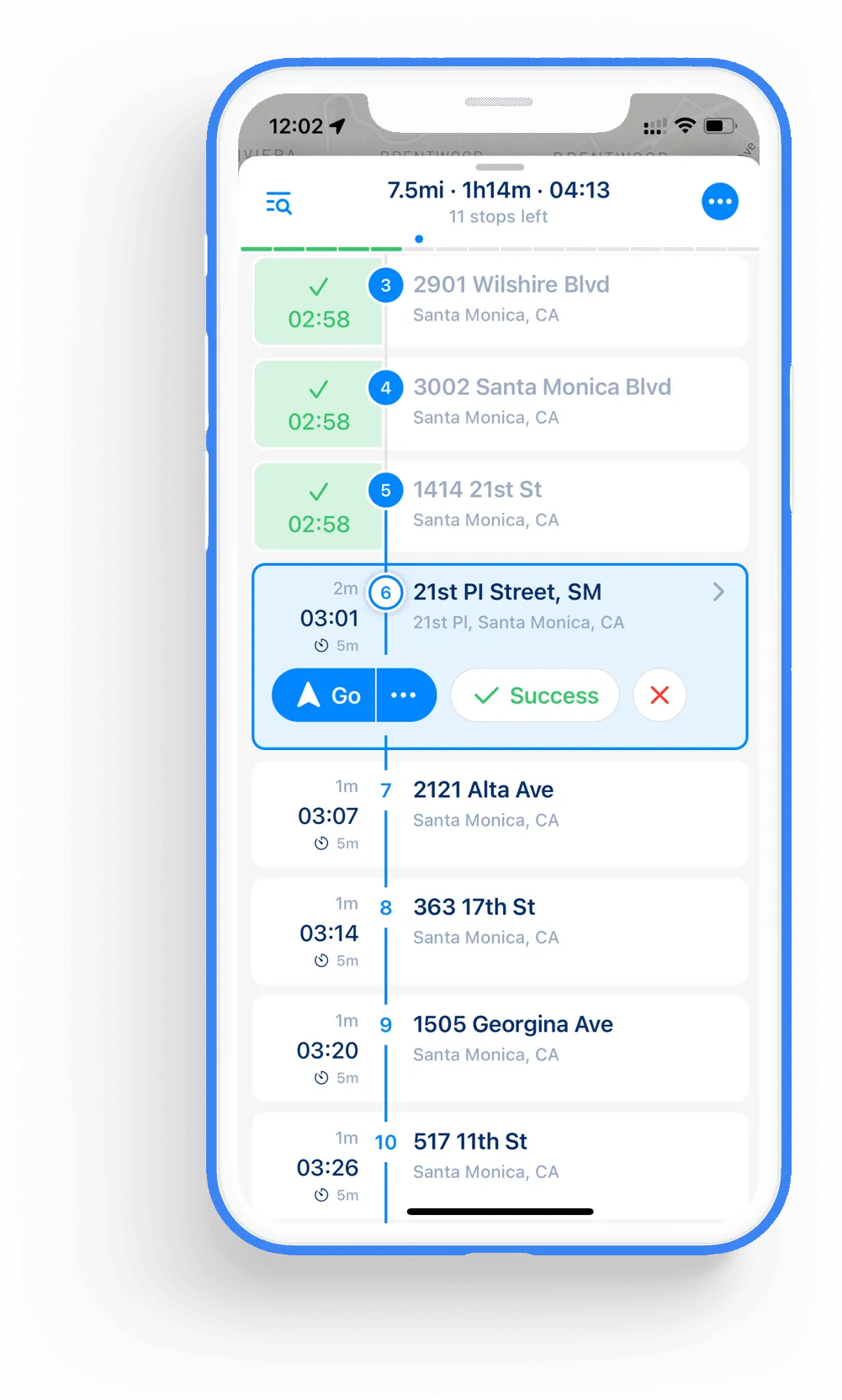
- Work the list. Open each job in your nav app. The customer’s name, phone number and notes travel with the stop.
MyWay Route Planner will help you
MyWay Route Planner app optimises every aspect of route planning from address input to navigation
We have the most up-to-date maps, addresses, and places databases from Google, Mapbox, Here, TomTom, ArcGis, Apple and OpenStreetMap combined into a single app.
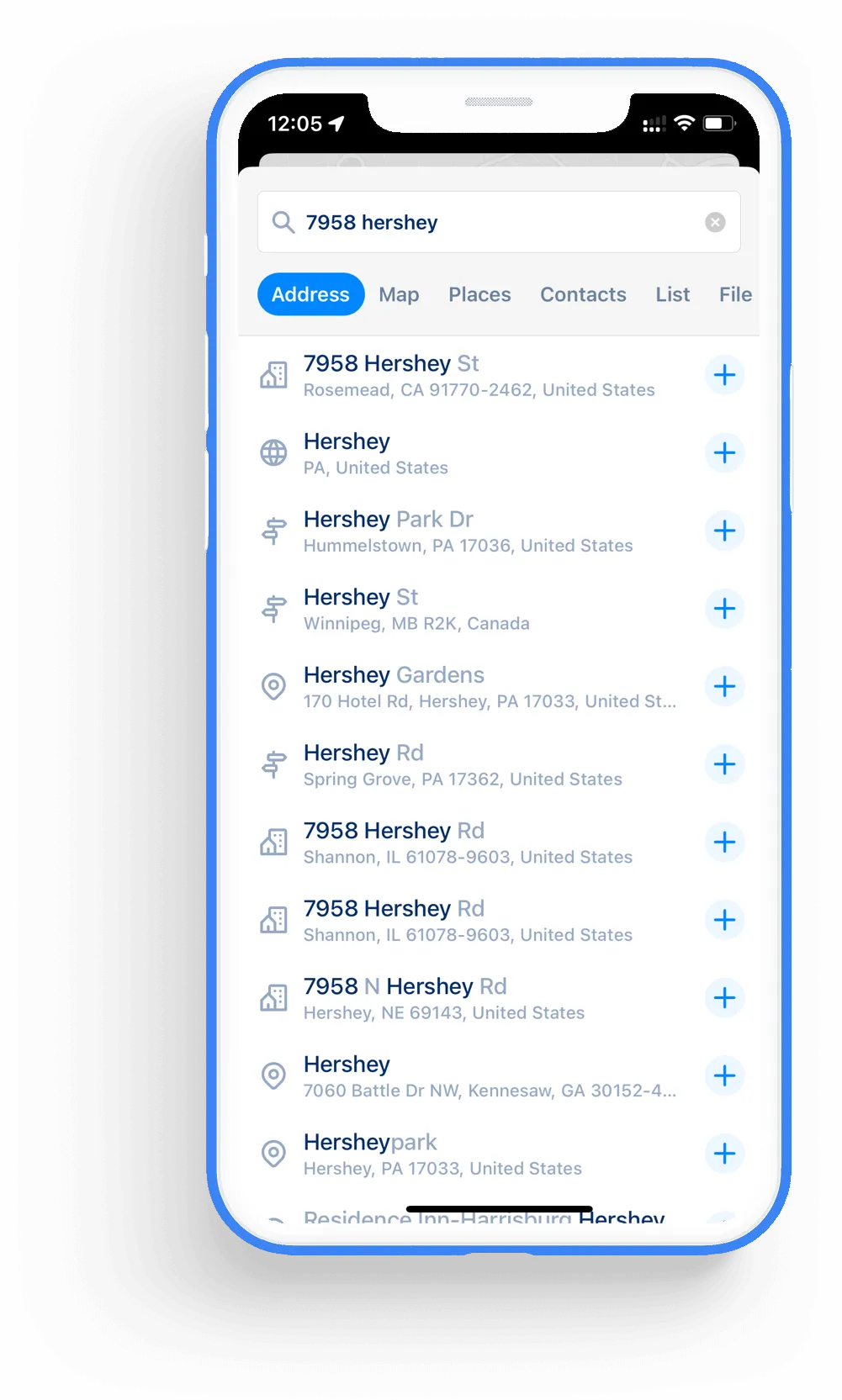
You can input stops one by one, use multi-line import, import from file (Excel and .CSV), photo, phonebook, from link, etc.
We use the best route optimization algorithms to build a route that is the most efficient, or you can use your stops order.
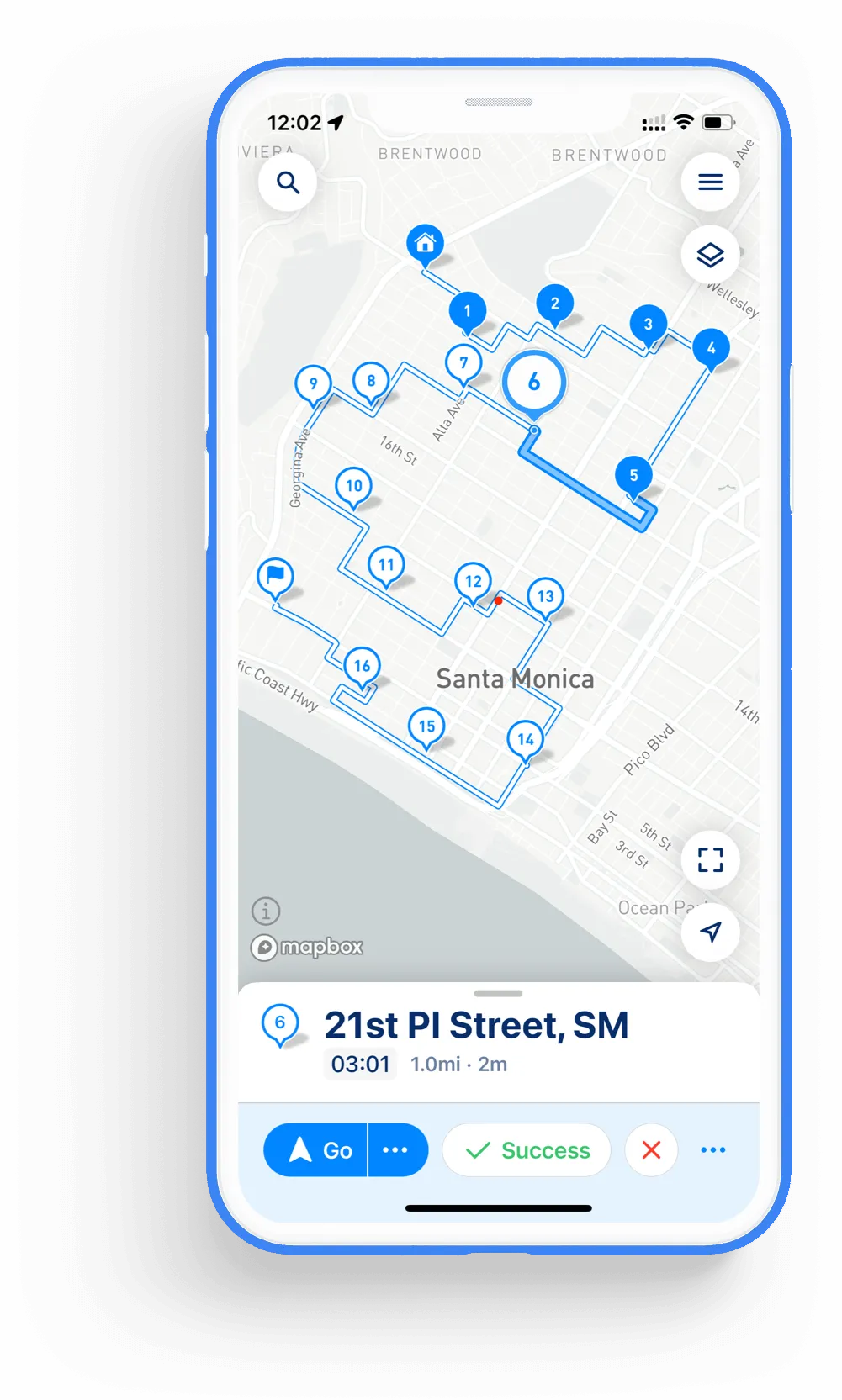
One-click navigation to every stop with your favorite Google Maps, Waze, Here WeGo, MapsMe, Apple Maps, etc.
Trusted by 600,000+ drivers across 150 countries
“MyWay has improved my daily routes significantly. The app is super user-friendly, and the route optimization saves me so much time. It considers traffic and weather conditions, making sure I always have the best route. A must-have for drivers.”
“It’s made it simple and understandable for non-technical inclined users such as myself. It has convenient features that make it easy to complete my route and be time and cost-efficient. Would recommend to everyone.”
“The app has really improved my workflow. The ability to optimize routes, adjust stops on the fly, and set delivery preferences has made my job much easier. I’m able to handle long routes quickly and finish deliveries faster.”
“MyWay Route Planner is an essential tool for managing our fleet operations. It empowers us to optimize routes, monitor driver progress, and adapt to changing traffic conditions in real-time. The app's user-friendly interface and robust features make it indispensable for efficient fleet management.”
“With MyWay, I save so much time by optimizing routes for all my stops. The ability to prioritize stops and adjust delivery times is extremely helpful. It’s reliable, easy to use, and perfect for anyone dealing with multiple stops.”
“As a sales rep, MyWay Route Planner is my go-to app! It helps me optimize my routes efficiently, saving time and increasing productivity. The intuitive interface and accurate directions make it a valuable tool for my daily tasks. Highly recommended!”
Get MyWay Route Planner Now!
MyWay app helps you to build efficient routes: about 30% shorter on average, saving your time and money on fuel


Frequently Asked Questions
What service businesses ask about route planning
What is a service route planner?
A service route planner orders a technician’s jobs for the day so that the driving between them is as short as possible while each job still starts inside its appointment window. Unlike a delivery route, a service route has to count the time spent on site: a boiler repair and a filter change don’t take the same hour.
How does MyWay deal with jobs of different length?
Each stop has a time at stop — the minutes or hours you expect the job to take. MyWay counts it when it works out the finish time, so the plan for the day is closer to what really happens.
Can I keep appointment windows?
Yes. Give the job a time window before you optimize, and mark a job that can’t wait as ASAP.
What happens when an emergency call comes in?
Add the new job to the route, mark it as ASAP and optimize again. MyWay re-optimizes only the jobs that are left, and you can skip a job or move it by hand if the customer reschedules.
Can I keep customer details on a stop?
Yes. A stop can carry a name, a color, contact details and notes — the gate code, the unit model, where the meter is — so you have them when you arrive.
We are a small company with a few technicians. Does MyWay fit?
Yes. Each technician downloads MyWay on their own phone and can start for free with routes of up to 15 stops. You can build the day’s route and send it to a technician as a link, and if someone needs longer routes, the Pro plan optimizes up to 200 stops per route.
Can I plan service routes for free?
Yes. The free Starter plan optimizes routes of up to 15 stops, which is enough when your day has 15 jobs or fewer. If you need more, the Pro plan optimizes up to 200 stops per route and comes with a 7-day free trial.